If you love a tidy spreadsheet, notice when numbers don’t add up and like steady, quiet work, learning how to become a bookkeeper from home could be a great fit. A bookkeeper keeps the monthly books for small businesses: recording and categorizing transactions, reconciling accounts and sending the owner simple reports.
It’s recurring work, which many moms love. Most clients pay a monthly retainer, the tasks fit into short blocks of time, and owners rarely leave a bookkeeper they trust.
In this guide we walk you through each step, from the basics and software to your first paying client, with AI as your teammate so sorting a month of transactions or drafting an owner report takes minutes instead of hours. No accounting degree needed.
How to become a bookkeeper from home: the quick answer
- Understand what a bookkeeper does, and what you don’t do (taxes, tax advice).
- Learn the basics in plain English: the chart of accounts, the three reports and reconciling.
- Learn QuickBooks Online or Xero in a free practice account, and consider their free certifications.
- Set up Claude as your AI teammate, with clear money-data safety rules.
- Practice on a pretend client until a month-end close feels routine.
- Package your services as monthly retainers plus catch-up projects.
- Find your first clients, starting with people you know and local tax professionals.
- Onboard safely with an engagement letter and the right kind of access.
What does a bookkeeper do?
A bookkeeper keeps a business’s financial records accurate and up to date, month after month. The everyday work looks like this:
- Categorize transactions: sort every sale, expense and transfer from the bank and card accounts into the right category.
- Keep receipts organized: collect receipts, attach them to transactions and follow up on missing ones.
- Track invoices and bills: send invoices, note who owes money and enter bills so nothing is forgotten.
- Reconcile accounts: check that the books match the bank and credit card statements each month.
- Close the month: clean up anything uncategorized, review the numbers and lock the period.
- Report: send the owner a profit and loss, a balance sheet and a short plain-English summary.
Just as important is what a bookkeeper doesn’t do. You don’t prepare or file tax returns, give tax advice or give legal or investment advice. You keep clean books and hand them to the client’s tax professional. Our guide to bookkeeper vs accountant explains exactly where each role starts and stops.
Who hires bookkeepers?
Your clients are busy small business owners who would rather do their real work than wrestle with numbers. Common examples are solo service businesses, coaches, contractors and trades, salons, cleaning companies, small online shops and creators.
Signs a business needs a bookkeeper: receipts in a shoebox, panic every tax season, no idea of real profit, or accounting software that was set up once and then ignored.
What they’re really buying is peace of mind: clean numbers, no surprises and someone who has it handled.
Step 1: Learn bookkeeping basics in plain English
You don’t need to be a math whiz. The software does the math. What matters is understanding a handful of ideas and being careful and consistent.
The chart of accounts
This is the list of categories a business uses to sort its money: income, expenses, assets (what it owns), liabilities (what it owes) and equity (the owner’s stake). A home cleaning company might have income accounts for regular cleans and deep cleans, and expense accounts for supplies, mileage and insurance.
The three reports
The profit and loss shows income minus expenses for a period. The balance sheet shows what the business owns and owes on a given day. The cash flow report shows where cash actually came from and went. Learn to read all three and spot numbers that look odd.
Reconciling and closing the month
Reconciling means matching the books to the bank or card statement, line by line, until the balances agree. Closing the month is the checklist you run once everything is categorized and reconciled. You’ll also hear cash vs accrual basis; the client’s tax pro decides which one the business uses.
Step 2: Learn the software (free practice accounts and certifications)
QuickBooks Online and Xero are the two main tools for small business bookkeeping. Wave is an option for very small clients, and FreshBooks and others exist too. The golden rule: work in the client’s existing software whenever they have one.
Both QuickBooks and Xero run free programs for accountants and bookkeepers that include a practice account to learn in. They also offer certifications (the QuickBooks Online ProAdvisor certification and the Xero advisor certification) that were free at the time of writing, so check their sites for current details. A certification isn’t required to work as a bookkeeper, but it’s a real credibility boost and the best structured way to learn the software.
Tip: pick one tool to learn first. Once you understand how bank feeds, rules and reconciliations work in one, the skills transfer quickly to the other.
Step 3: Set up your AI teammate
This is where today’s bookkeepers work much faster. Instead of asking AI one question at a time, hand it whole jobs: pre-sort a month of bank transactions from a spreadsheet export into the client’s chart of accounts, find why a reconciliation is off by comparing two exports, or draft the monthly owner summary from the report numbers.
The secret is a good brief. Give Claude the goal, the context, examples, your constraints and the output you want, and ask it to ask you questions first if anything is unclear. We walk through the full method in how to use AI for bookkeeping.
Do it with AI: try this with made-up practice data first. Upload a sample transactions spreadsheet to Claude and paste: “Goal: pre-sort these transactions into categories. Context: the business is [TYPE OF BUSINESS] and its chart of accounts is [PASTE ACCOUNT LIST]. Constraints: use only accounts from that list, and if a transaction is unclear, mark it ‘Ask client’ instead of guessing. Output: a table with date, description, amount, suggested account and a short reason, then a list of questions for the owner. Ask me questions first if anything is unclear.” Then check every category yourself before anything goes into the books.
Set the safety rules from day one. You are the bookkeeper and the one responsible, so you check every category and number. Get each client’s OK before using AI with their financial data, mask account numbers and personal details in exports, and never paste passwords, full bank or card numbers or ID numbers into any AI tool.
Step 4: Practice on a pretend client
Clients want to know you can handle their books. You can build that confidence before your first paid client:
- Invent a small business: for example, a home cleaning company with two crews, regular and deep cleans, supply costs and mileage.
- Set it up in your practice account: a simple chart of accounts, a few months of sample transactions, a couple of invoices and bills.
- Run a full month-end close: categorize, reconcile, review, run the reports and write a one-page owner summary.
- Repeat it: by the third practice month, the checklist should feel routine.
Then offer a month of help at a friendly price to a real business you know, in exchange for honest feedback. Never invent results or testimonials.
Step 5: Package and price your services
Price by scope (how many transactions, how many accounts and what extras), not by the hour. Here are the example packages we teach, to give you a starting point:
- Example Starter, $300/month: a solo or very small business with about 100 transactions a month and 1 or 2 accounts. Categorizing, reconciling, month-end close and a simple monthly report.
- Example Growth, $600/month: about 300 transactions a month and a few accounts. Everything in Starter plus sending invoices, tracking bills, receipt follow-up and a monthly owner summary.
- Example Premium, $1,000/month: more accounts and volume. Everything in Growth plus payroll coordination with the client’s payroll provider and a monthly review call.
- Example catch-up project, $500 to $1,500 one-time: for books that are months behind, depending on how many months and how messy they are.
Example: 4 Starter clients plus 3 Growth clients = $3,000 a month in recurring income (4 x $300 + 3 x $600). With AI help, our example hours are about 3 to 4 a month per Starter client and 6 to 8 per Growth client, so that’s roughly 30 to 40 hours a month in small, predictable blocks. Rates vary by experience, location, volume and complexity, and your results depend on your time, skills and effort. For add-ons and how to set your own prices, read how much do bookkeepers charge.
Step 6: Find your first bookkeeping clients
Start with the people who already know you: friends, past coworkers and the local businesses you already use. A simple “I keep the books for small businesses” message to your network often brings the first lead.
Next, look where small business owners and their advisors spend time:
- Tax professionals: CPAs, enrolled agents and tax preparers want clients with clean books, so they can be great referral partners.
- Local business groups: chambers of commerce, networking groups and community pages.
- LinkedIn and Facebook groups: share helpful tips and follow each group’s rules about promotion.
- Your current clients: if you’re already a VA (see how to become a virtual assistant), bookkeeping is a natural add-on for owners who trust you.
- Upwork: follow the platform’s rules and lead with what you can do.
A free 15-minute books review is a friendly way to start a conversation: three quick questions about how they handle their books now, then a recommendation.
Do it with AI: ask Claude: “I’m a new bookkeeper who keeps monthly books for small businesses in QuickBooks Online and Xero. Write a short, friendly message under 120 words to [WHO, for example a local salon owner I know]. Mention that I offer a free 15-minute books review, keep it warm and low pressure, and don’t promise tax savings or results. Then give me three discovery questions to ask on the call. Ask me questions first if anything is unclear.” Then edit the message so it sounds like you.
Step 7: Onboard safely
Before you start, put an engagement letter in place. It covers the scope, what’s not included (tax prep, tax advice, legal advice, paying bills), the client’s responsibilities, receipt deadlines, access and data, how you use AI, fees and how either side can end the engagement. This is general awareness, not legal advice, so ask a professional to review your template and look into professional liability (errors and omissions) insurance.
Get access the safe way: an accountant or user invite in QuickBooks Online or Xero, bank feeds connected by the owner, and a password manager for anything shared. Never use the client’s bank login, and never move client money. The owner approves and pays every bill.
Titles, licensing, sales tax and payroll rules vary by state and country. Call yourself a bookkeeper (never an accountant or CPA) and check your local rules.
Start your bookkeeping business with five AI assistants
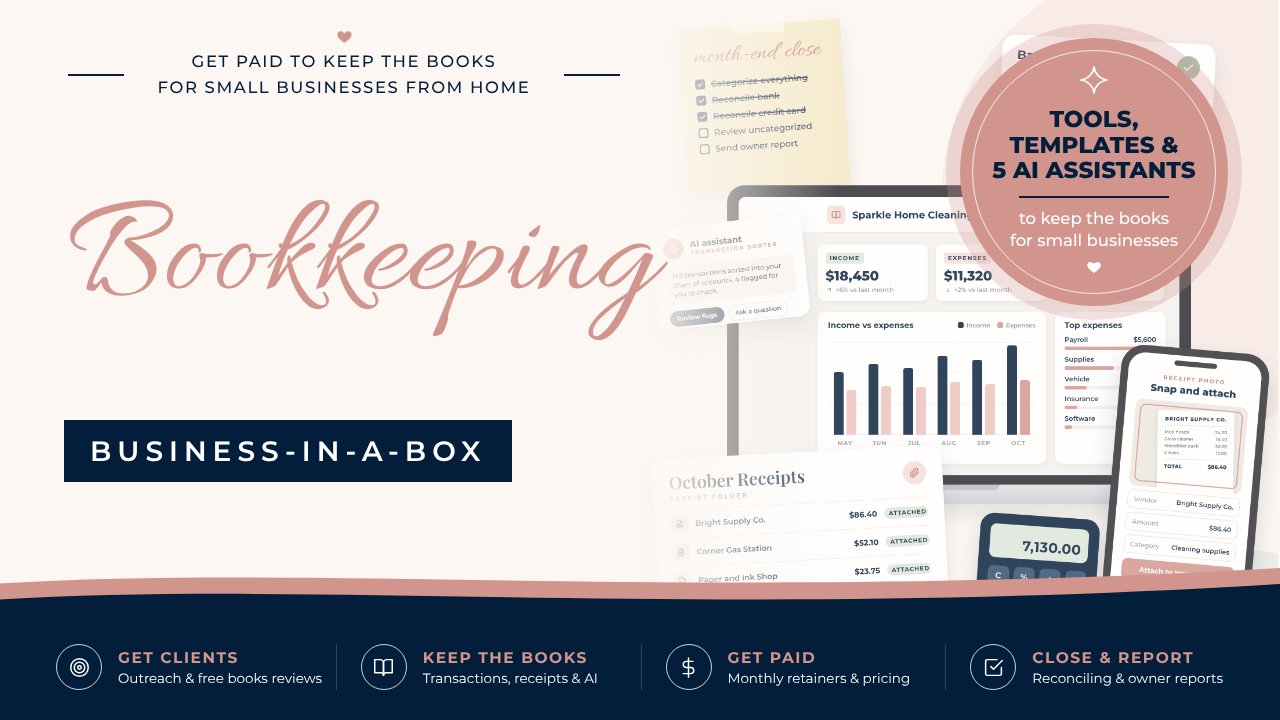
Our Bookkeeping Business-in-a-Box gives you 12 modules, 52 short written lessons, 18 templates and 5 AI assistants in Claude (Transaction Sorter, Reconciliation Helper, Report Writer, Catch-Up Planner and Client Finder), plus the AI Bookkeeping Playbook bonus with 50 AI workflows and a Month-End Procedures Pack. It’s $197, self-paced, with no videos to sit through.
How to become a bookkeeper from home: FAQ
Do I need a degree to become a bookkeeper?
No. You don’t need an accounting degree to keep the books for small businesses. Clients care about accuracy, reliability and clear communication. Learning the software well, and taking a free certification like QuickBooks ProAdvisor or Xero, helps you show that.
Can I become a bookkeeper with no experience?
Yes. Many bookkeepers start as beginners, VAs or former office workers. Learn the basics, practice a few month-end closes on a pretend client in a free practice account, then start with a small, simple business.
Do bookkeepers do taxes?
No. Bookkeepers keep clean, reconciled books and hand them to the client’s tax professional, who prepares and files the returns and gives tax advice. Staying in your lane protects you and your clients.
How many clients can a home bookkeeper handle?
It depends on each client’s volume and your available time. Using the example hours above, 4 Starter and 3 Growth clients would be roughly 30 to 40 hours a month, which many moms fit into school hours.
Will AI replace bookkeepers?
AI is excellent at first drafts, like pre-sorting transactions or writing a report summary, but it doesn’t know the client, can make mistakes and doesn’t take responsibility for the books. Bookkeepers who use AI well simply work faster. You stay the reviewer and the one responsible.
Start your bookkeeping business this week
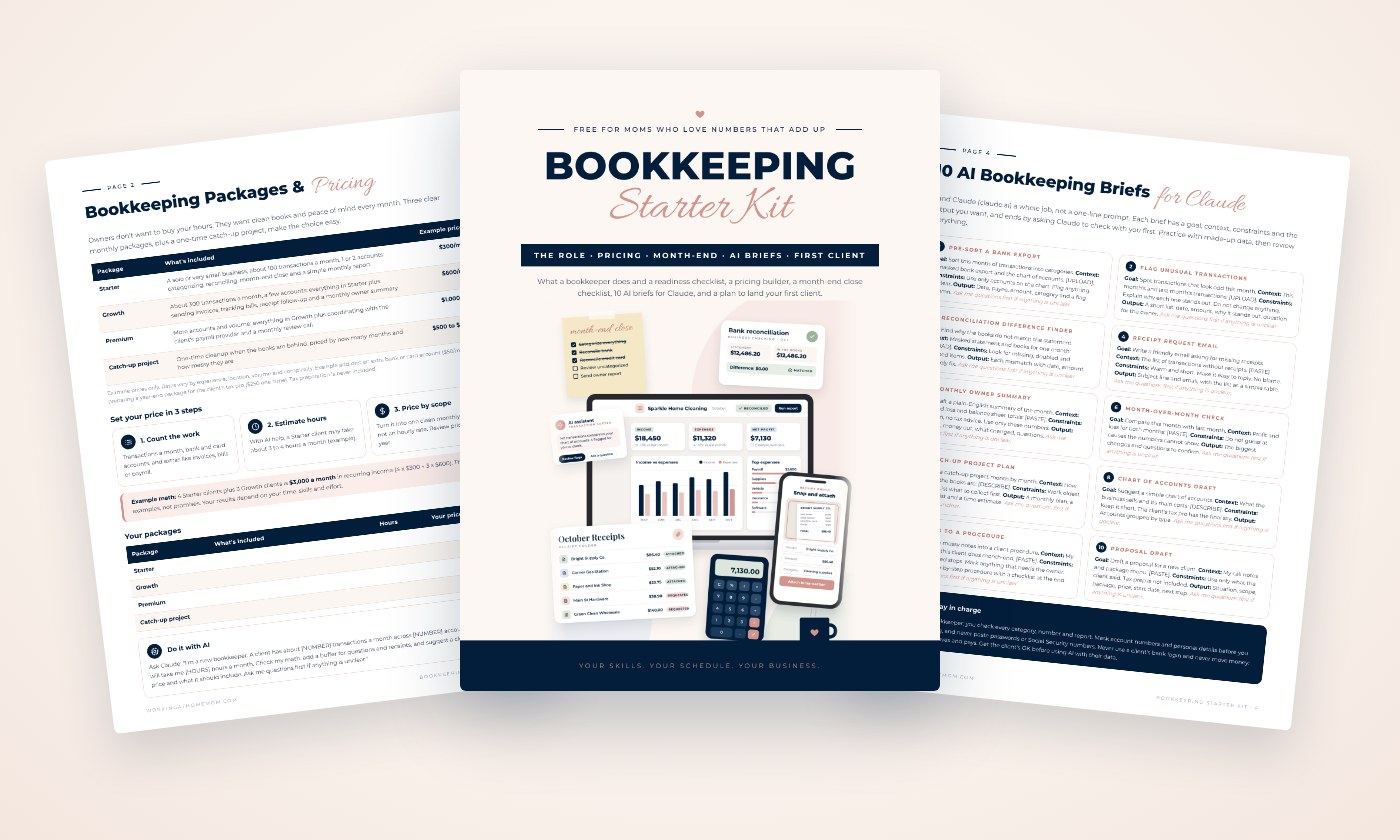
Example bookkeeping packages and pricing, a month-end close checklist, 10 ready-to-paste AI briefs and a 10-step plan to land your first client. Sent straight to your inbox.