If you’ve ever lost an evening scrolling Pinterest, you’ve probably wondered how to make money on Pinterest instead of just saving ideas. The good news is that there are real, practical ways to earn with it, and you don’t need a big following to start.
In this guide we cover four proven paths: managing Pinterest for businesses, affiliate pins, driving traffic to your own blog, and selling printables or products. We’ll show you how each one works, how fast it tends to pay, and why we think Pinterest management is the best starting point for most moms.
How to make money on Pinterest: the quick answer
- Become a Pinterest manager: run Pinterest accounts for businesses on monthly packages. Often the fastest path to steady income.
- Share affiliate pins: link pins to products and earn a commission on sales, with clear disclosure.
- Drive traffic to your blog: earn from ads, affiliate links and your own offers on your site.
- Sell printables or products: pin your Etsy listings or shop products so buyers find them in search.
Do you need followers to make money on Pinterest?
No. Pinterest works more like a visual search engine than a social network. People type in what they’re looking for (easy dinners, nursery ideas, budget planners) and Pinterest shows them pins that match. A brand-new account can show up in search if its pins use the right keywords and link to helpful pages.
That’s why Pinterest is so appealing for moms working from home. Your pins can keep working for months, and you can schedule them ahead so nothing depends on being online at a certain time.
1. Become a Pinterest manager (the fastest path to steady income)
Many businesses know Pinterest could bring them traffic and sales, but they don’t have time to make fresh pins every week. A Pinterest manager does it for them, for a monthly fee.
The work includes keyword research, designing pins in Canva, writing pin titles and descriptions, organizing boards, scheduling, and sending a short monthly report from Pinterest Analytics. Some managers also run promoted pins in Pinterest Ads Manager for an extra fee.
Why we recommend starting here
- You get paid for your time right away: the other paths usually take months to build traffic. A client pays you from the first month.
- No audience needed: you grow your clients’ accounts, not your own.
- Predictable income: monthly packages mean you know what’s coming in.
- Skills that transfer: everything you learn helps you grow your own blog, affiliate pins or shop later.
Example math
Here are example packages from our Pinterest Manager course kit: Starter $300/month (30 pins), Growth $500/month (60 pins) and Premium $800/month (90 pins including video).
- Example, 5 Growth clients: $2,500/month.
- Example, 8 Growth clients: $4,000/month.
- Example, 10 Premium clients: $8,000/month.
These are examples, not promises. Results depend on your time, skills and effort, and rates vary by niche and location. Add-ons like account audits, pin template sets and ads management can raise your income per client.
How to get started
- Learn the basics: Pinterest search, keywords, pin design (2:3 pins at 1000×1500 pixels), scheduling and Analytics.
- Practice on your own business account: it becomes part of your portfolio.
- Create sample work: pins, a board plan and a sample report for made-up businesses.
- Find clients: through direct outreach, your network, groups and freelance sites.
- Work safely: clients add you through Pinterest Business Manager as a partner, so you never need their password. If you run ads, the client owns the ad account and pays the ad spend.
Our step-by-step guide on how to become a Pinterest manager walks you through each stage, and Pinterest manager jobs for beginners shows you where to find clients and how to build a portfolio with no experience.
Do it with AI: open Claude and paste: “I’m starting a Pinterest management business from home. I have about [HOURS] hours a week and I’m interested in [TOPICS YOU KNOW]. Suggest 3 niches of businesses that rely on Pinterest, explain why each is a good fit, and list 10 types of businesses in each niche I could contact. Then write a one-sentence description of what I offer for each niche.” Then research each idea yourself and edit the descriptions until they sound like you.
2. Share affiliate pins
Affiliate marketing means you share a special link to a product, and if someone buys through it, you earn a commission from the company. On Pinterest, you can use an affiliate link as a pin’s destination link, or link to a blog post that contains your affiliate links.
A few important rules to follow:
- Disclose clearly: be upfront that a pin is an affiliate link, in the pin description and in a way people will notice. Follow FTC guidance on endorsements if you’re in the US.
- Check each affiliate program’s terms: some programs have their own rules about where and how you can share links, including on Pinterest. Read them before you pin.
- Avoid link shorteners: Pinterest doesn’t support some shortener services, so use the full link your program gives you.
- Follow Pinterest’s guidelines: no spammy behavior, like pinning the same link over and over or using misleading images. Pinterest’s rules change, so check its current Community Guidelines and branded content policies.
Affiliate income on Pinterest can grow over time, but it usually takes a lot of pins, patience and testing to earn meaningful amounts. It works best as a second income stream, especially once you understand Pinterest from managing it for clients.
Tip: pin helpful content, not just products. A pin for “10 cozy fall decor ideas on a budget” that leads to a blog post with affiliate links often performs better than a plain product pin.
3. Drive traffic to your own blog
Pinterest has long been a favorite traffic source for bloggers in topics like food, home, parenting, DIY, budgeting and travel. Each blog post can get several pins, and every visitor is a chance to earn.
Bloggers typically earn from:
- Display ads: once your site has enough traffic to join an ad network.
- Affiliate links: inside helpful posts and roundups.
- Your own products: printables, ebooks or courses.
- Email list: a freebie that grows your list, so you can share offers later.
This path takes time. You need content first, and traffic builds slowly. If you’re short on time and energy, read our guide to starting and growing a blog when you’re low on time and energy.
4. Sell printables or products
If you sell printables, digital products or physical products, Pinterest can send shoppers straight to your listings. People search Pinterest for planners, party printables, wall art, gift ideas and home decor all the time.
- Pin every product several ways: mockups, close-ups, and “how to use it” pins.
- Use buyer keywords: phrases like “printable meal planner” or “nursery wall art” in titles and descriptions.
- Link to the listing: your Etsy listing, your shop page or a blog post featuring the product.
- Plan ahead for seasons: use Pinterest Trends to see when searches for holidays and events start rising.
New to printables? Our guide on how to sell printables on Etsy walks you through your first listings.
Which way to make money on Pinterest is right for you?
- Pinterest management: income can start with your first client, no audience needed, steady monthly pay. Best if you want reliable income soon.
- Affiliate pins: low startup cost, but slower and less predictable. Best as a side stream.
- Blog traffic: long-term asset, but it takes months of content and patience.
- Printables or products: great if you love creating, with income that grows as your shop and pins grow.
You don’t have to choose just one. Many people start with client work for steady income, then use what they learn to grow their own blog, shop or affiliate pins on the side.
Pinterest basics that apply to every path
- Use a business account: it’s free and gives you Pinterest Analytics.
- Design vertical pins: the standard shape is 2:3, and 1000×1500 pixels is a common size.
- Use keywords everywhere: in pin titles, descriptions, board names and on the pin image.
- Create fresh pins regularly: new designs for your links keep your account active.
- Schedule ahead: Pinterest’s built-in scheduler lets you schedule pins up to about 30 days in advance, with a limit on how many can be queued at once.
- Check Analytics monthly: focus on impressions, saves and outbound clicks, and do more of what works.
Do it with AI: paste into Claude: “Here is my blog post / product: [URL OR DESCRIPTION]. Target keywords: [KEYWORDS]. Write 5 Pinterest pin headlines (under 8 words, for the image), 5 pin titles (under 100 characters) and 5 descriptions (2 to 3 sentences) that use the keywords naturally and invite a click.” Then check that every claim is accurate and edit them to fit your voice.
Turn your Pinterest know-how into a client business
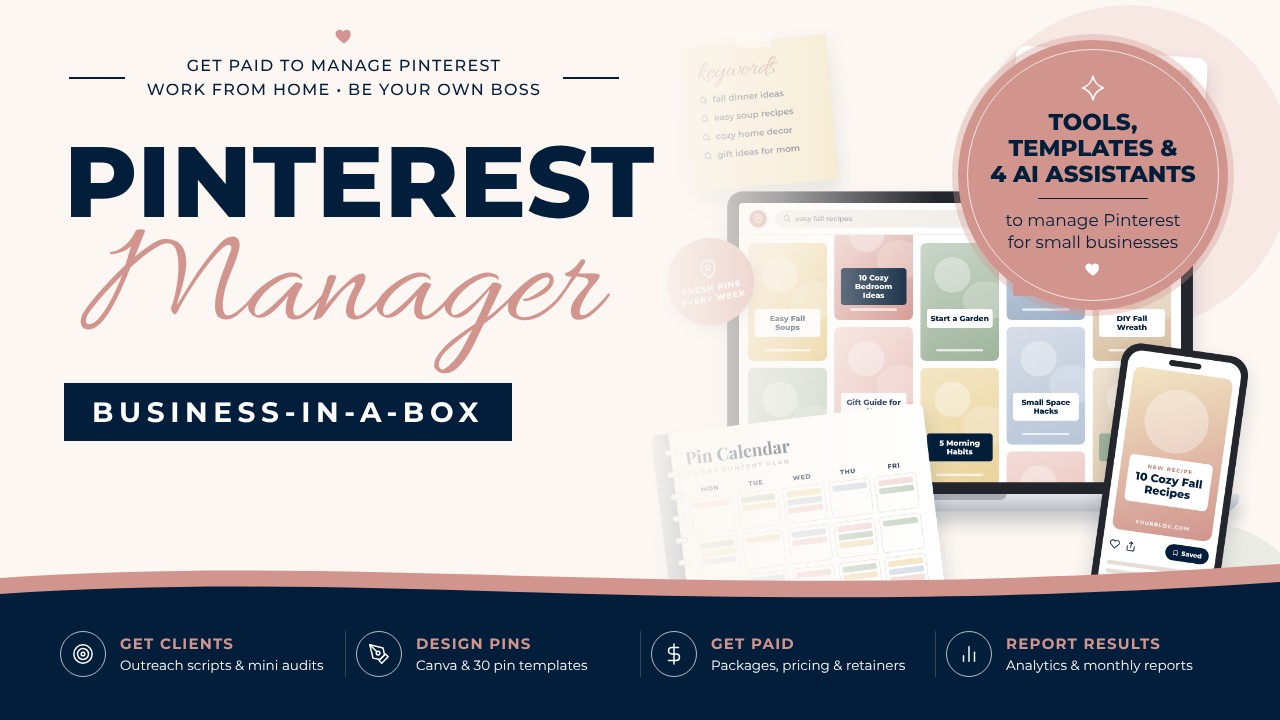
Our Pinterest Manager Business-in-a-Box is the fastest way to start earning on Pinterest with clients. It has 12 modules, 52 short written lessons, 18 templates, 30 ready-made pin templates and 4 AI assistants in Claude: the Pin Copywriter, Report Writer, Client Finder and Business Builder. It’s $197, self-paced, with no videos.
How to make money on Pinterest: FAQ
Can you really make money on Pinterest?
Yes. The most direct way is managing Pinterest for businesses that pay a monthly fee. You can also earn through affiliate pins, blog traffic and selling your own printables or products.
How fast can you make money on Pinterest?
It depends on the path. Pinterest management can bring income as soon as you land a client. Affiliate pins, blogging and shops usually take longer, because traffic builds over time.
Are affiliate links allowed on Pinterest?
Pinterest allows affiliate links as pin destinations, as long as you follow its guidelines, disclose clearly and avoid spammy behavior. Some link shorteners aren’t supported, and each affiliate program has its own rules, so check them first.
Do I need a lot of followers to make money on Pinterest?
No. Pinterest is search-based, so pins with good keywords can be found by people who don’t follow you. As a Pinterest manager, you don’t need an audience at all.
How much do Pinterest managers make?
Rates vary widely. Using our example packages, 5 clients on a $500/month Growth package = $2,500/month, and 10 clients on an $800/month Premium package = $8,000/month.
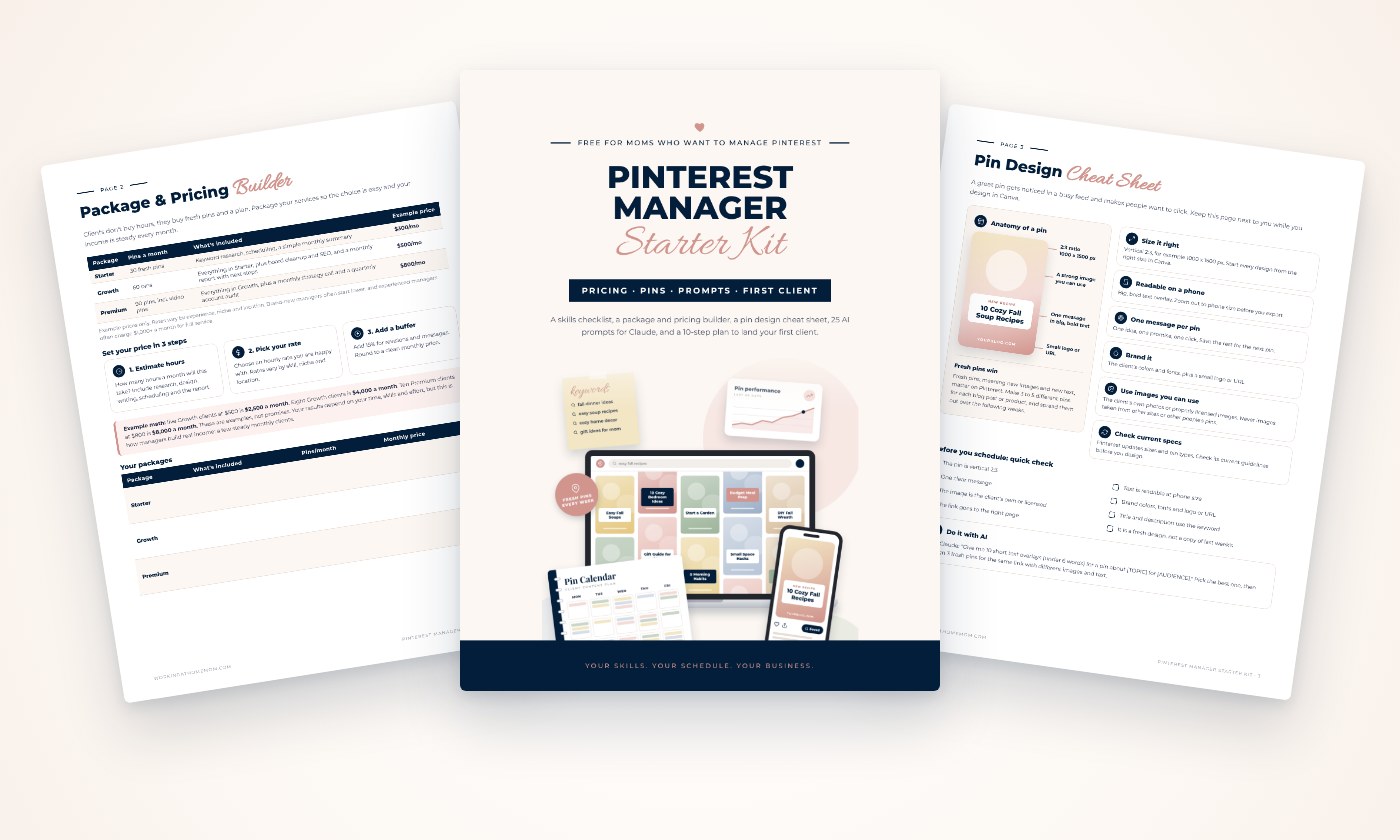
Start making money with Pinterest: get the free kit
Example packages and pricing, a pin design cheat sheet, 25 AI prompts for Claude and a 10-step plan to land your first client. Sent straight to your inbox.