
Work from home · Be your own boss
Step Up from VA to Online Business Manager, With AI as Your Right Hand
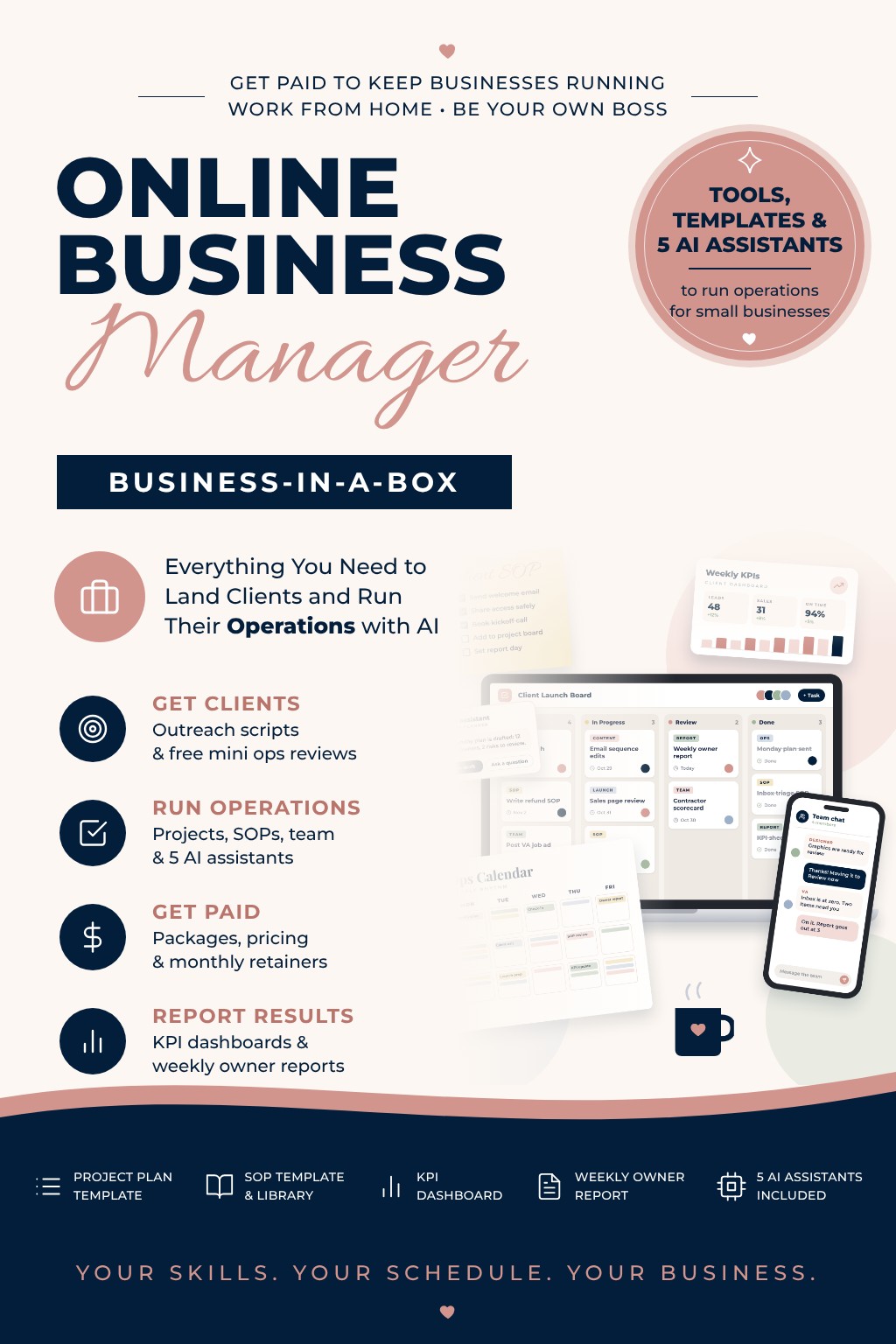
Everything you need to run operations for small online businesses from home: 12 step-by-step modules, 18 done-for-you templates, 5 AI assistants in Claude, and an AI Ops Playbook with 50 ready-to-use workflows.
Self-paced. No videos to sit through. Start today.
Sound familiar?
You’re already the organized one. It’s time to get paid for it.
Course creators, coaches and online shop owners with small teams are buried in projects, contractors and loose ends. They don’t need one more person doing tasks. They need someone to run the operations, and they’ll pay a monthly retainer for it. That someone could be you, working from your kitchen table. So what’s stopping you?
For most moms it’s one of these:
- You’re not sure what an Online Business Manager actually does, or how it differs from VA work.
- You’re juggling lots of small clients and tasks, and the hours never seem to add up.
- You don’t know what to charge for a retainer, or how to pitch one.
- Project plans, SOPs, managing a team and KPI reports sound like a lot to learn.
- You’ve bought courses before that were all videos and no tools.
That last one is why we built this one differently.
How it works
A whole business, already built. You just open the box.
Online Business Manager Business-in-a-Box is a self-paced course that walks you from “What does an OBM actually do?” to landing retainer clients, running their projects, systems and team, and sending weekly owner reports. Every lesson is short and written, so you can read it during nap time and act on it the same day.
Learn it
The plain-English explanation, no fluff.
Do it with AI
The full AI handoff for that job, a brief or an AI assistant, so the work takes minutes instead of hours.
Take action
One thing to do before the next lesson, with the template ready to copy.
We run our own business this way, with AI helping in every step. Now you can too.
Your AI teammate
How AI does the heavy lifting
Most people use AI for one-line questions. In this course you learn to work with it like a teammate. You give it a clear brief (the goal, the context, examples, constraints and the output you want) and hand off a whole job. It does the first draft in minutes. You review it, edit it and send it.
Meeting notes to a project plan
Paste messy meeting notes or a voice memo transcript. Get back tasks with owners, due dates and milestones.
Rough notes to an SOP
Describe a process or paste a screen recording transcript. Get a clear, step-by-step SOP to test with the person who does the task.
Numbers to a weekly report
Drop in the week's KPIs. Get a draft owner report with wins, risks and the decisions your client needs to make.
A new role to a hiring kit
Describe the job. Get a job post, interview questions, a paid trial task and a scorecard.
A launch date to a timeline
Give it the date and the offer. Get a timeline planned backward from launch day, with owners and checklists.
A full inbox to clear priorities
Hand over an inbox or a messy task list. Get it sorted into what needs action, what to delegate and what can wait.
You stay in charge
Module 2 teaches the brief formula and the privacy rules for client data, and every lesson after it shows you the handoff for that job:
- You are the editor. You check everything before it reaches a client or the team.
- You approve anything that sends, publishes, pays, deletes or changes settings yourself.
- Passwords, card numbers, bank details and government IDs never go into AI.
- You get the client’s OK before using AI with their data, follow their policies and use the least access needed.
- You use password managers and delegated access, never shared logins.
You’ll also see how Claude Projects, connectors to tools like Google Drive and Gmail (with your client’s permission) and scheduled tasks fit into your week. Features and plans change, so check Claude’s help center for what’s current.
The income math
How the income adds up
OBMs work with fewer clients on bigger monthly retainers, because they run the operations instead of doing one-off tasks. These are the example packages you’ll build in Module 9, with our Pricing Calculator to check your own numbers.
Essentials: $1,200/mo
A weekly operations check-in, project management in the client's tool, task and deadline tracking, and a monthly report.
Growth: $2,000/mo
Everything in Essentials plus managing up to about 3 contractors, building SOPs, and a weekly owner report with KPIs.
Partner: $3,000/mo
Everything in Growth plus launch and big-project management, tech and automation improvements, and a monthly strategy session.
These are examples, not promises. Rates vary by experience, niche and location, and many new OBMs start by offering more to an existing VA client. Your results depend on your time, skills and effort.
What’s inside
12 modules plus Start Here and a bonus. 52 short lessons. One clear path.
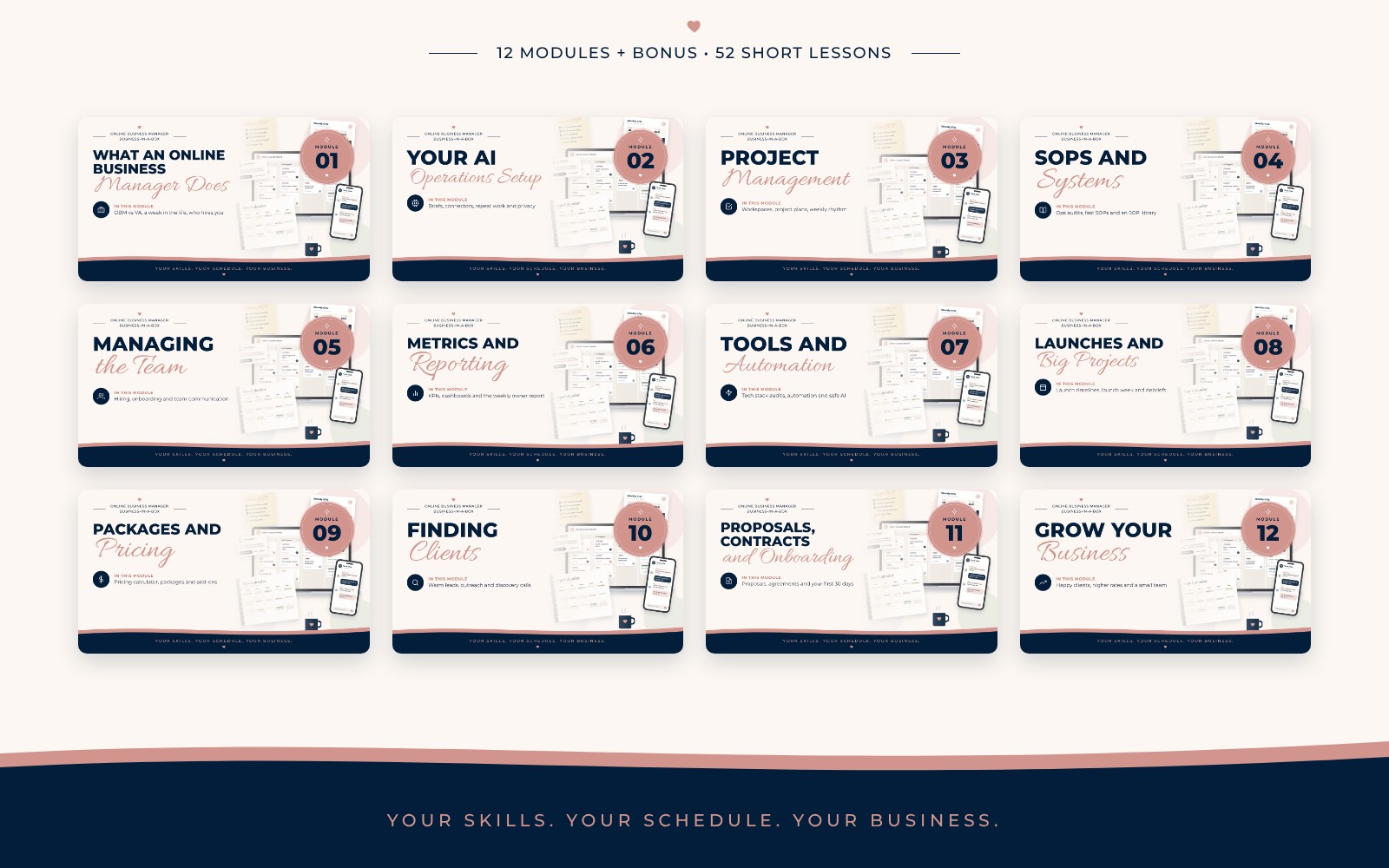
| Start Here | How the course works, your AI teammate in Claude and the 5 assistants, and running your business in Bonidi |
| 1. What an Online Business Manager Does | OBM vs VA, a week in the life of an OBM, and who hires OBMs (plus the path from VA to OBM) |
| 2. Your AI Operations Setup | Working with AI like a teammate, connecting Claude to your tools, handing off repeat work, and the rules for client data and privacy |
| 3. Project Management | Client workspaces, turning a brain dump into a project plan, the weekly ops rhythm, and your Ops Planner assistant |
| 4. SOPs and Systems | Operations audits, writing SOPs fast with AI, an SOP library that stays current, and your SOP Writer assistant |
| 5. Managing the Team | Hiring contractors, onboarding and managing them, communication that keeps everyone moving, and your Team and Hiring Helper |
| 6. Metrics and Reporting | The KPIs that matter, a simple KPI dashboard, the weekly owner report, and your Report Writer assistant |
| 7. Tools and Automation | Tech stack audits, automating the busywork, and using AI safely inside client workflows |
| 8. Launches and Big Projects | Planning a launch backward from the date, running launch week, and the debrief |
| 9. Packages and Pricing | The pricing calculator, your package menu, and add-ons and one-time projects |
| 10. Finding Clients | Starting with who you know, where to find OBM clients, outreach and discovery calls, and your Client Finder assistant |
| 11. Proposals, Contracts and Onboarding | Proposals that get a yes, simple service agreements, onboarding a new client safely, and your first 30 days |
| 12. Grow Your Business | Happy clients, raising your rates, building a small team, a 90-day plan with AI, and your next steps |
| Bonus | The AI Ops Playbook with 50 ready-to-use AI workflows, plus the SOP Starter Pack with 10 ready-to-fill SOPs |
Bonus AI Ops Playbook
50 ready-to-use AI workflows, plus 10 ready-to-fill SOPs
Your course includes the AI Ops Playbook: 50 AI workflows for daily and weekly work and for team, client and launch jobs. Each one tells you when to use it, gives you the brief to paste, and lists what to check before anything goes out. The SOP Starter Pack adds 10 ready-to-fill SOPs for common processes like client onboarding, invoicing follow-up, content publishing, inbox management and new team member setup, so you can adapt them for each client with your SOP Writer assistant.
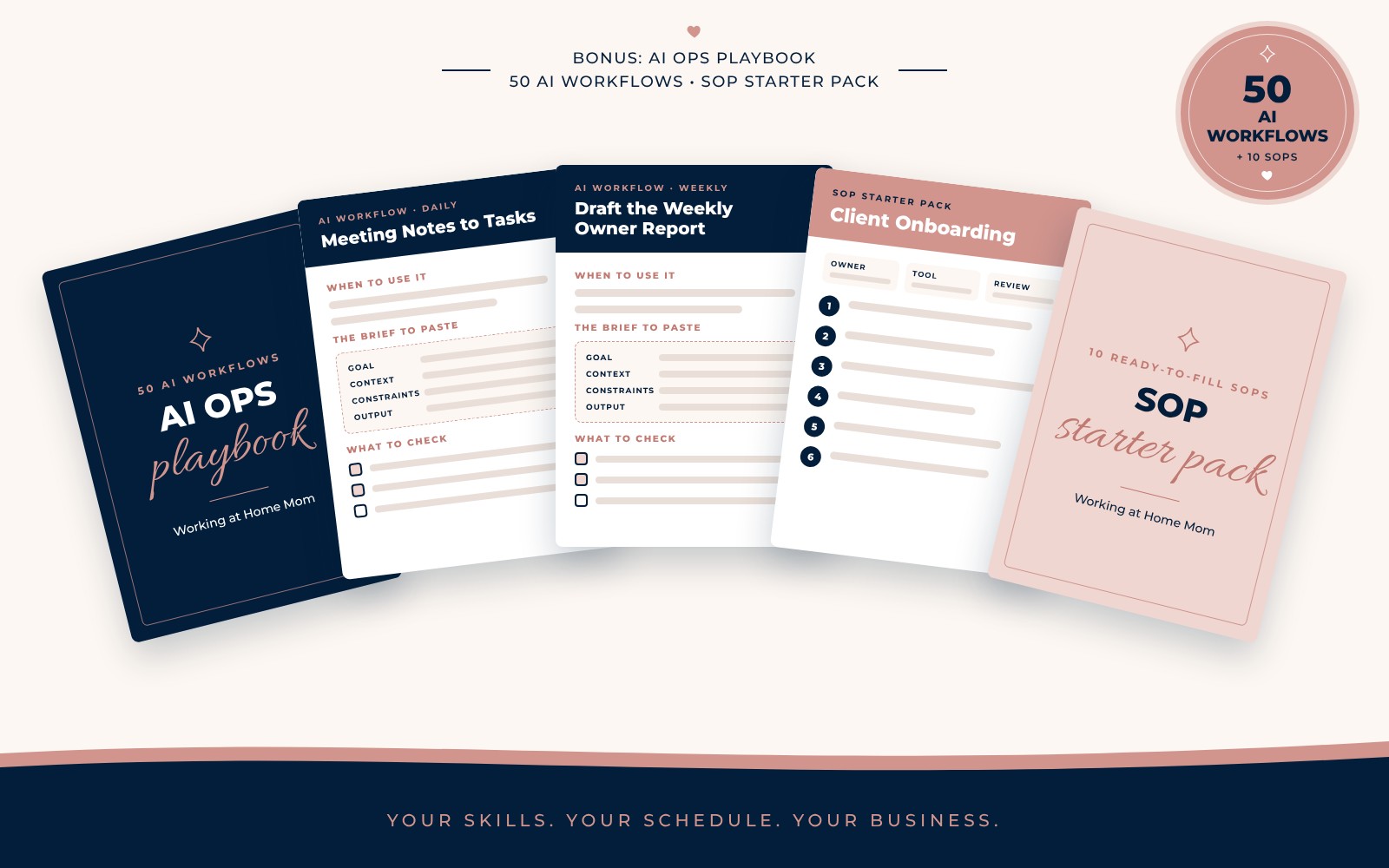
Both are Google Docs you copy and keep.
Your new team
Meet your 5 AI assistants, ready to work
You get the full setup for five assistants you build as Projects in Claude in about 5 minutes each: the instructions, the files to add, and the prompts to use. Each one already knows the templates in your kit, so it gives you answers that fit your clients, not generic advice. You stay the editor and check everything before it goes out.
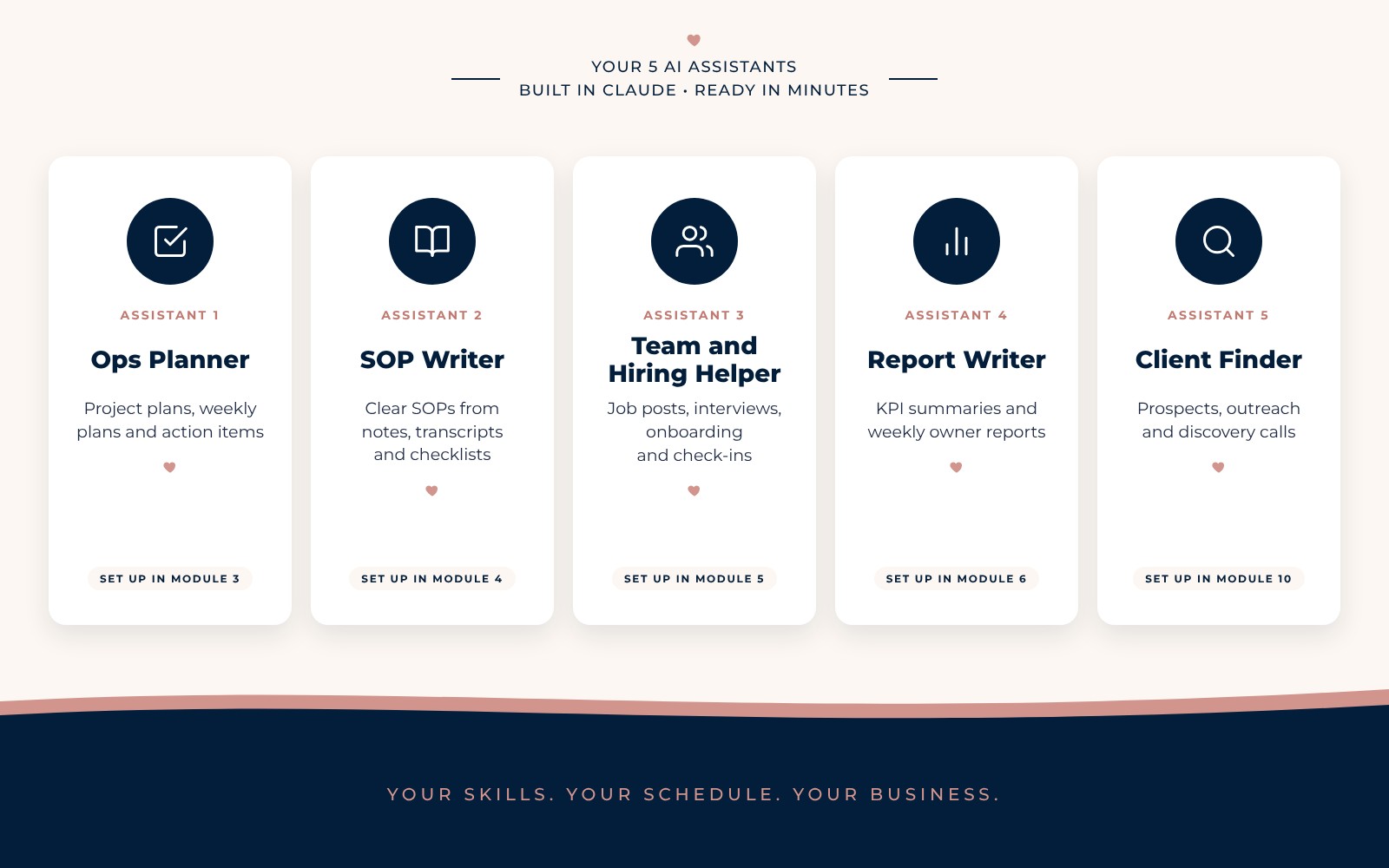
You’ll need a Claude account. Check Claude’s current plans; we recommend a paid plan once you have clients.
Done for you
Every template you need, ready to copy
18 business templates plus 2 bonus docs and 5 AI setup guides. Make a copy, fill in the blanks, and go. Each one is a Google Doc or Sheet you own.
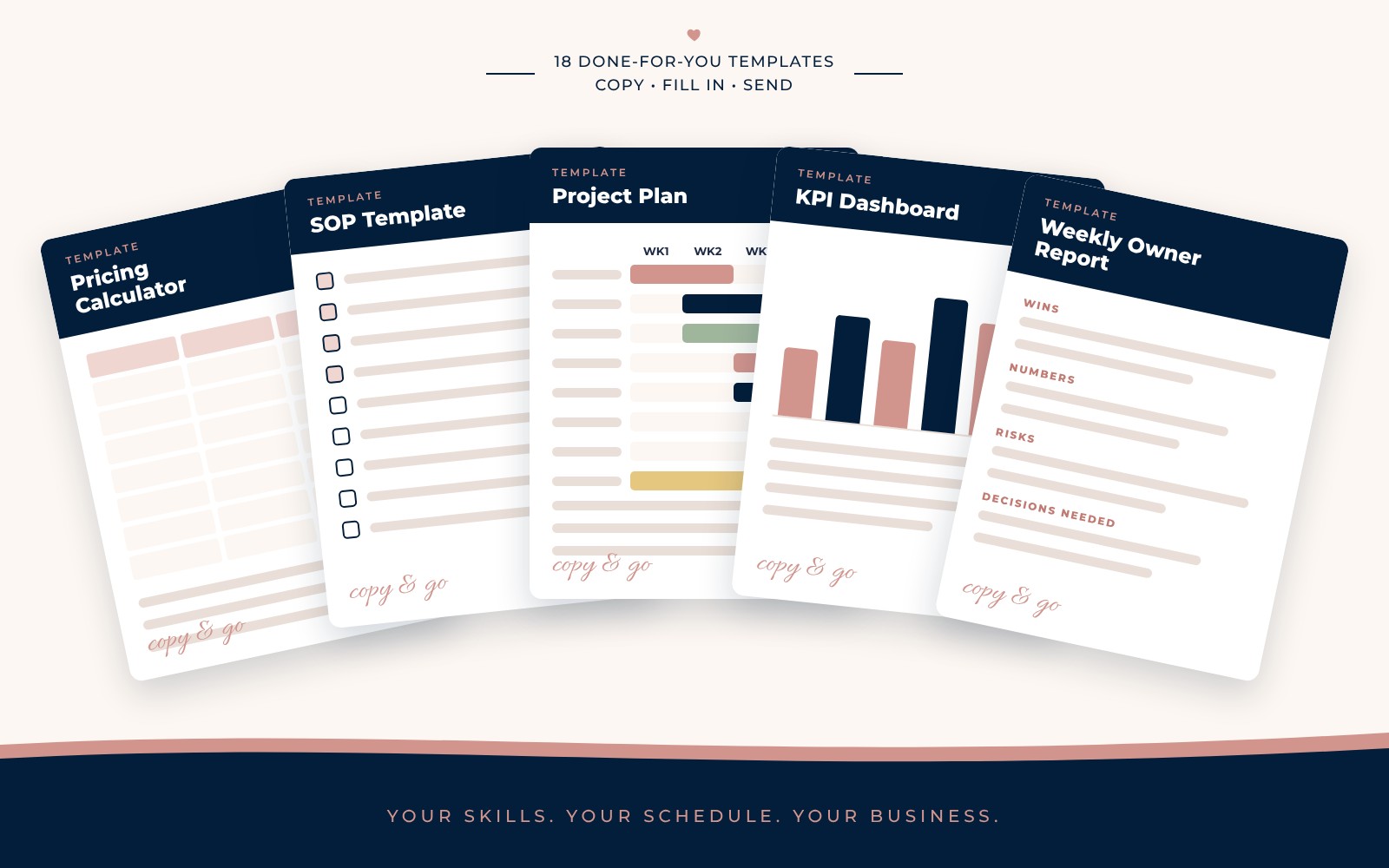
- OBM business plan
- Client tracker
- Operations audit checklist
- Project plan template
- Weekly ops rhythm SOP
- SOP template and library
- Hiring kit
- Team tracker
- KPI dashboard
- Weekly owner report
- Tech stack audit
- Launch plan and timeline
- Pricing calculator
- Package menu
- Outreach and discovery scripts
- Proposal template
- Service agreement template
- Client onboarding form
- Bonus: AI Ops Playbook and SOP Starter Pack
- Setup guides and starter prompts for all 5 AI assistants
Where you run it
Run your whole business in Bonidi
Bonidi is the all-in-one system we use to run our own business, and Start Here shows you how to set it up for yours. Keep your leads and clients in one place, send invoices, sign agreements and book discovery calls without juggling five different apps.
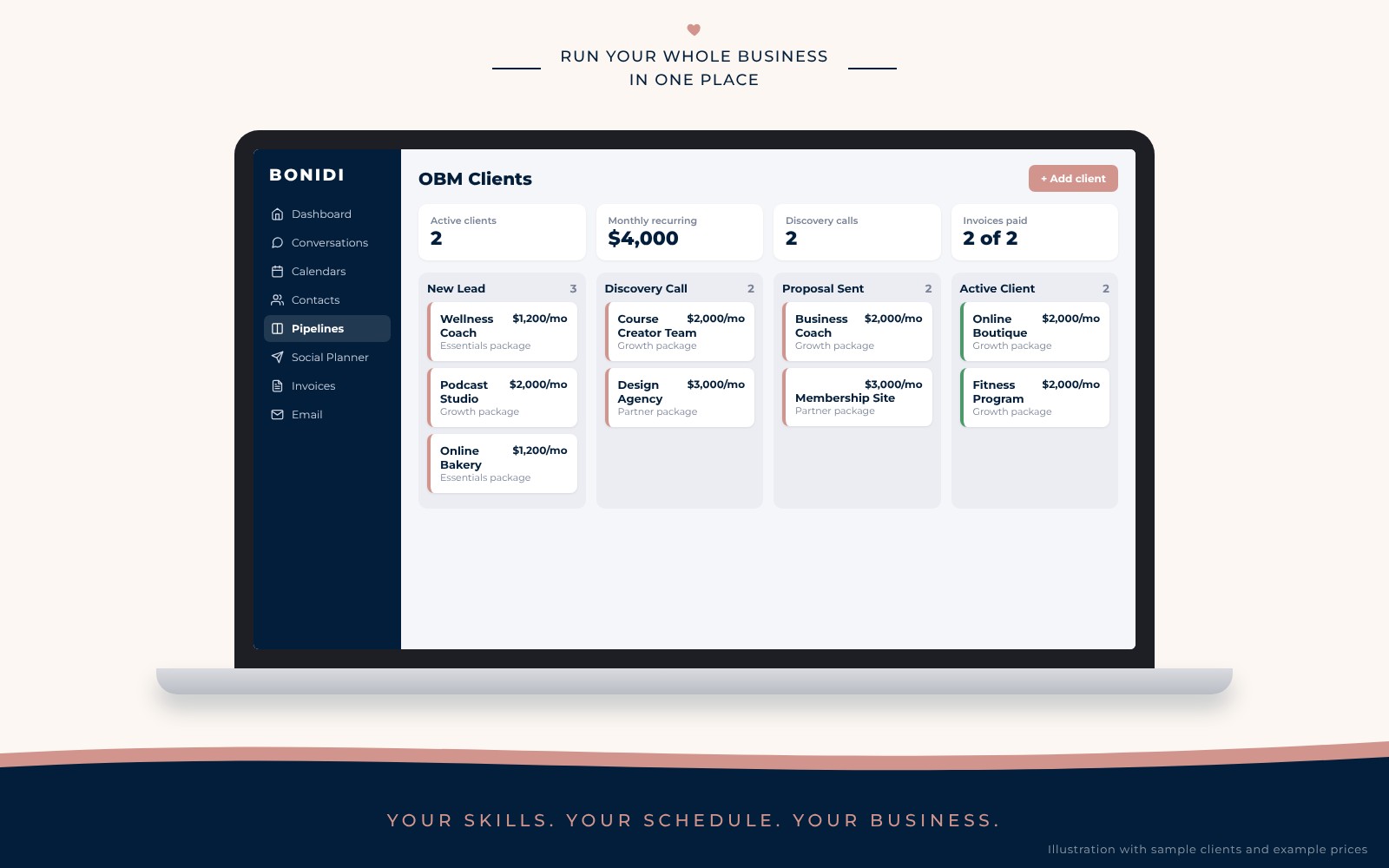
- A CRM for leads and clients, from first message to active client
- Invoices and recurring monthly payments
- Contracts your clients can sign online
- A calendar for booking discovery calls
- Email to keep every client conversation together
Is this you?
Is this for you?
This is for you if…
- You’re a VA ready to move from doing tasks to running operations for 1 to 3 clients
- Or you’re the organized one who loves plans, checklists and keeping people on track (VA experience helps, but isn’t required)
- You’d rather read a short lesson and act than watch hours of video
- You want AI to draft project plans, SOPs, reports and hiring kits while you stay in charge
- You want templates and a system, not a blank page
This isn’t for you if…
- You want income with no work on your part
- You expect clients without reaching out to anyone
- You need live coaching or calls to stay on track
- You want AI to handle client work without checking it yourself
- You’re looking for a get-rich-quick plan
Everything in one box
Everything you need to start, in one box
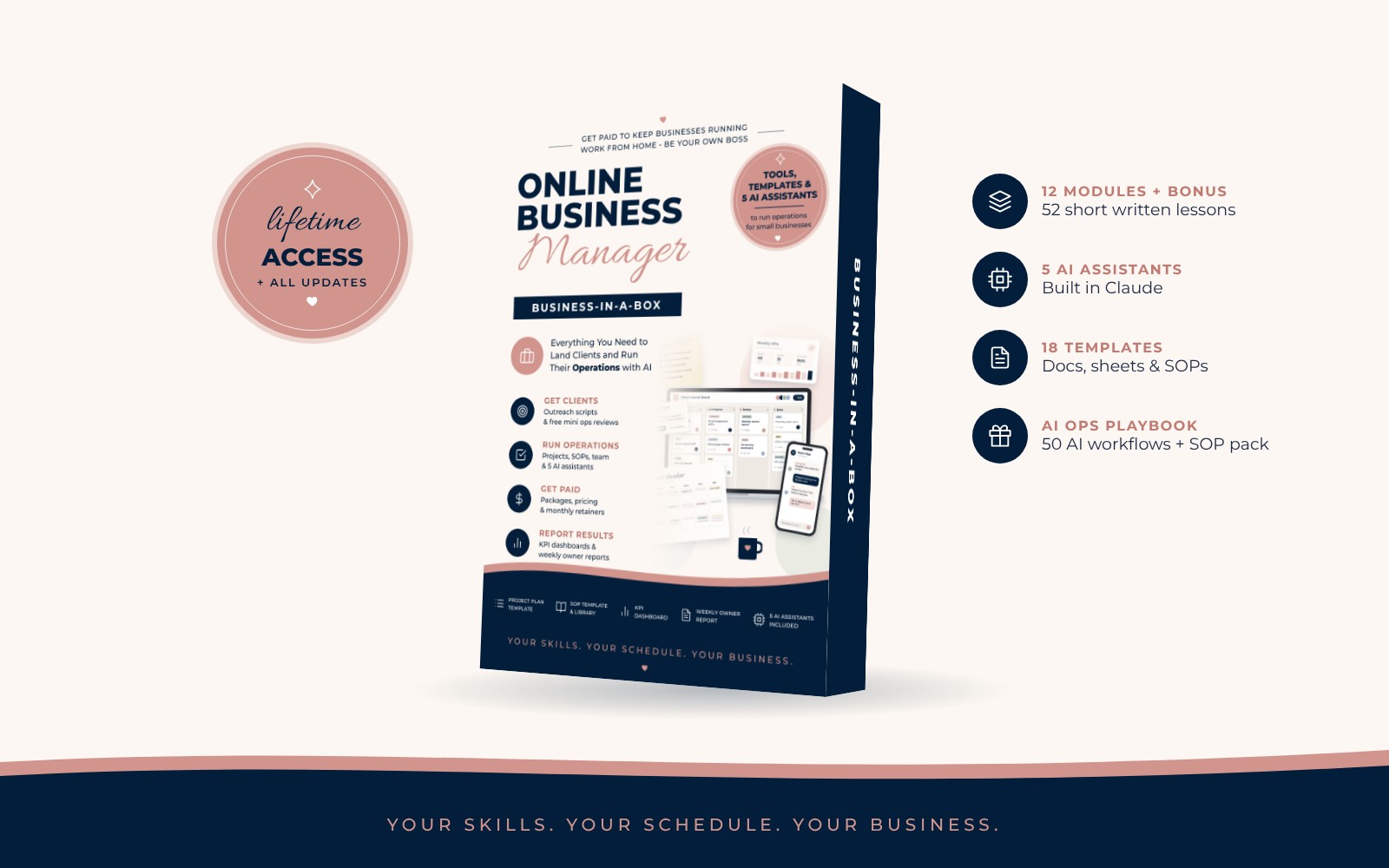
- 12 self-paced modules plus Start Here and Bonus, 52 short written lessons
- 5 AI assistants in Claude with full setup guides and starter prompts
- Bonus: the AI Ops Playbook (50 AI workflows) and the SOP Starter Pack (10 SOPs)
- 18 done-for-you templates, checklists and trackers
- Finding clients, pricing, proposals and onboarding, step by step
- Lifetime access, including updates as AI tools change
One payment
One payment, lifetime access. The pricing calculator in your kit shows you what each package earns you before you pitch it, so you know your numbers from day one.
Get the Business-in-a-BoxQuestions
Questions, answered
Do I need to be a VA first?
No. Many students are VAs, but organized moms and former office workers do well too. Module 1 explains the job and the path from VA to OBM. If you want to learn VA basics first, our Virtual Assistant Business-in-a-Box is the place to start.
Do I need to buy project management software?
No. You’ll mostly work inside the tools your clients already use, like ClickUp, Asana, Notion or Google Workspace, and Module 3 shows you how to set up a client workspace in whichever one they have.
How much time does it take?
The lessons are short and written. Most people can finish one or two a day in under 30 minutes, plus the action step. Go at your own pace.
Are there videos?
No. Every lesson is written. Read it on your phone, act on it, move on.
Do I need OBM experience or clients already?
No. Module 1 explains exactly what an OBM does each week, and Module 10 shows you where to find your first clients, starting with any VA clients and contacts you already have.
Is it safe to use AI with client data?
It can be, with the right rules. Module 2 teaches what never goes into AI, how to get your client’s OK first, how to use the least access needed, and why you approve anything that sends, publishes, pays or deletes. You also get a simple AI use policy to share with clients.
What AI do I need?
The assistants are built in Claude. You’ll need a Claude account, then you follow our setup steps. We recommend a paid plan once you have clients.
Will this guarantee I make money?
No course can promise that. We give you the steps, the tools, and the templates. Clients come from your outreach and the work you do for them, and your results depend on your time, skills and effort.
How long do I have access?
For life, including every update we make as AI tools change.
What if it’s not for me?
Read the “Is this for you?” section before you buy. Because you get instant access to everything, all sales are final and there are no refunds.
Your skills. Your schedule. Your business.
You could spend the next six months piecing this together from free videos and blank documents. Or you could open the box today, set up your AI assistants this afternoon, and send your first outreach message this week.
Get the Business-in-a-Box for $197Instant access. Self-paced. Built by the team at Working at Home Mom.
No results are promised or typical. The income figures on this page are examples, not guarantees. What you earn depends on your time, skills, effort, and market. All sales are final.